
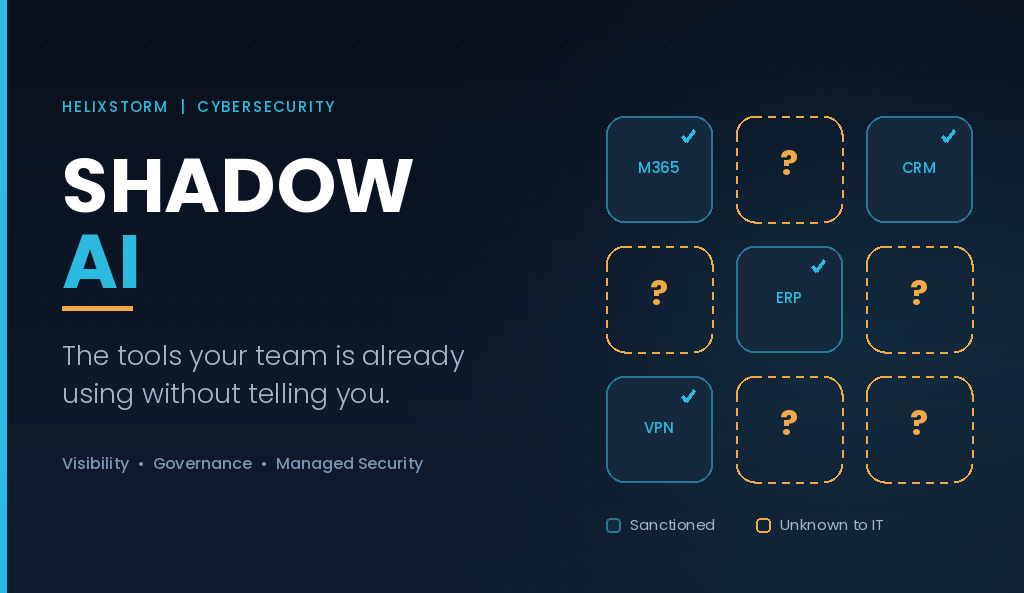
A year ago, shadow AI looked like one thing: an employee with a chatbot open in a browser tab, pasting in something they probably should not have. That version of the story is familiar now. We covered it ourselves in The Hidden Risks of Shadow AI, and most leadership teams have at least had the conversation. Here is what almost nobody has updated their thinking on: the browser tab is no longer where the risk lives.
The fastest growing source of unsanctioned AI in your business is not a website your team visited. It is a feature that turned itself on inside software you already approved, already pay for, and already consider secure. Your team did not go find shadow AI. Shadow AI came to them, bundled, preinstalled, and switched on by default.
The paste problem became a permissions problem
When an employee pastes text into a chatbot, that is a single disclosure of a single document. It is bad, but it is bounded. You can scope it. You can explain it to an auditor.
What is happening now is structurally different. When someone clicks “allow” on an AI assistant that wants access to their mailbox, their calendar, and their file storage, they are not disclosing one document. They are handing a third party a standing key to everything in that account, indefinitely, with no expiration and no notification to anyone. That token keeps working after the employee forgets the tool exists. It keeps working after they leave the company, unless someone revokes it.
That is the shift worth internalizing. Shadow AI used to be a data handling problem. It is now an identity and access problem. And identity problems do not stay contained.
Four places shadow AI is hiding that most audits miss
1. Features that turned on without a decision. Meeting platforms, CRMs, help desks, and productivity suites have all shipped AI capabilities into existing subscriptions. Many arrived enabled. Nobody filed a request, nobody evaluated a vendor, and nobody updated a data flow diagram. Your risk register still describes the product you bought in 2023.
2. The fourth attendee in every meeting. AI note takers are the single most common unsanctioned tool in the businesses we assess, and they are uniquely invisible because they arrive as a calendar guest. One person on a twelve person call brings a transcription bot, and now a vendor you never vetted holds a permanent, searchable record of a conversation about pricing, personnel, or patient care. Nobody on that call agreed to it. Most did not notice.
3. Browser extensions with total page access. An extension that summarizes what you are reading has to read what you are reading. That includes your banking portal, your payroll system, and every customer record on screen. Extensions install in seconds, sync across devices through a personal browser profile, and almost never appear in software inventories.
4. Agents that act instead of answer. This is the newest and least understood category. Autonomous tools do not just draft a reply, they send it, file it, or update a record. We wrote about where this is heading in the latest on agentic AI and how to stay secure, and the governance gap is real: an agent with write access can create change in your environment that looks exactly like legitimate user activity in your logs.
Why banning it backfires
Every organization that has tried to solve this with a blanket prohibition has learned the same lesson. The tools do not disappear. They move to personal devices, personal accounts, and personal browser profiles, which is the one place your security stack cannot see at all. You do not eliminate the risk. You relocate it somewhere you have no telemetry.
There is a better way to read the situation. Shadow AI is a requirements document your employees wrote for free. Every unsanctioned tool in your environment is a signal that someone had a real bottleneck and solved it themselves. Sales is drowning in call notes. Finance is reconciling data by hand. Support is rewriting the same explanation forty times a week. Those are operational findings. Most companies treat them as violations and throw away the insight.
Five things you can check this week
You do not need a discovery platform to get a first picture. You need an afternoon.
- Expense reports. Search the last two quarters for recurring charges under thirty dollars. Individual AI subscriptions hide beautifully in that range.
- Your Microsoft 365 enterprise application consent log. This shows exactly which third party apps hold delegated permissions to your tenant and what scope each one was granted. It is often the most uncomfortable report a leadership team will read.
- Calendar invites. Look for recurring external guests with names ending in “notetaker,” “assistant,” or “bot.”
- Browser extension inventory. If you manage devices, pull the installed extension list. Sort by permission scope, not by name.
- Single sign on activity. Every service your team logged into using a work identity is listed. Read the whole list, not the top twenty.
For regulated organizations, this exercise is not optional. If your business handles controlled unclassified information, protected health data, or anything covered under a client contract, a transcription bot in the room is a disclosure to a third party. Not a recording. A disclosure. That distinction is the difference between an internal cleanup and a reportable event.
Governance that people will actually follow
The policies that work share three traits. They classify data rather than blacklist products, so guidance survives the next tool release. They include a genuine fast path to approval, because a request queue measured in weeks guarantees people route around it. And they make revocation routine, so access granted in a hurry gets reviewed on a schedule instead of living forever.
Helixstorm builds that visibility into the way we deliver managed security services, because discovery is not a one time project. The tool your team adopts next month is already being built.
The uncomfortable truth is that your AI footprint is already larger than your policy. The only real question is whether you find out during an assessment or during an incident.
Want to know what is actually running in your environment? Contact Helixstorm and let us take a look.
